One number to aim for
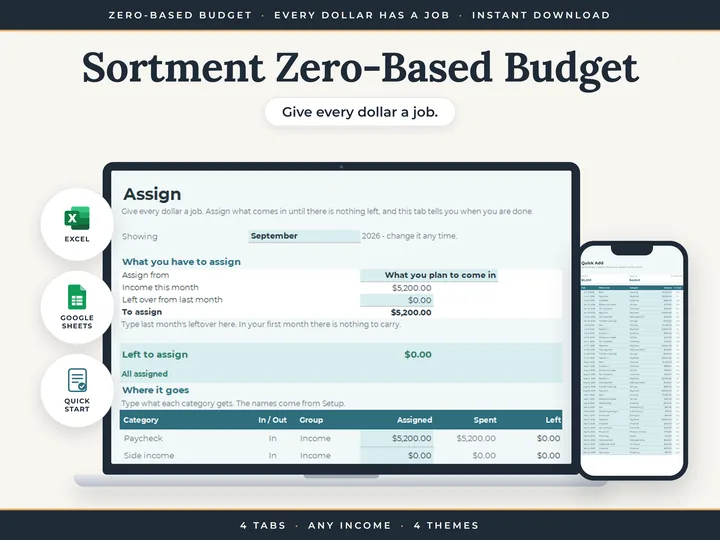
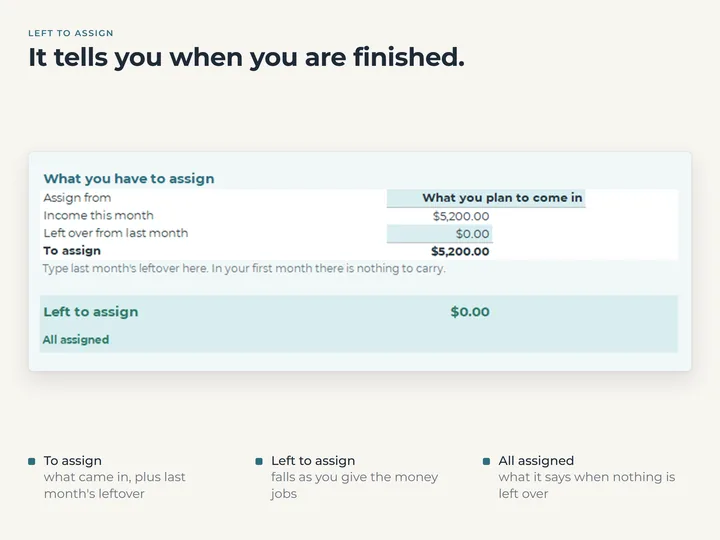
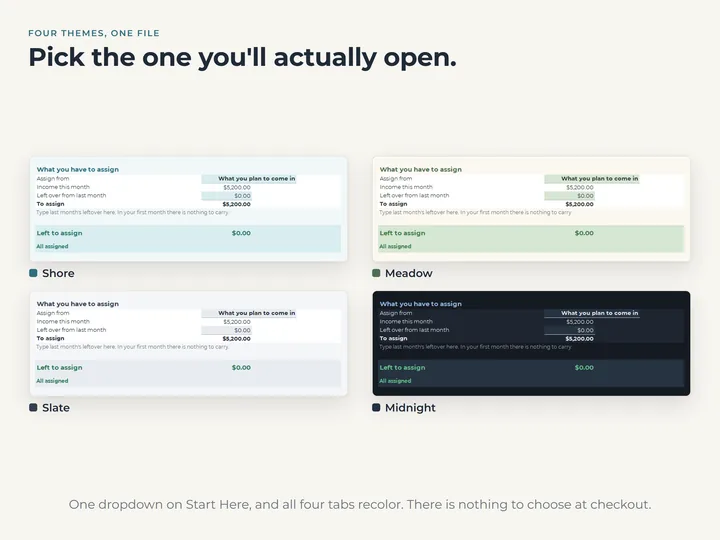
Left to assign counts down as you go, and reads All assigned when it reaches zero.
Expected income or actual
Assign from what you plan to come in, or switch to what actually came in once it lands.
Last month's leftover, counted
Type what was left over from last month once, and it's added to what you have to assign.
Spent beside assigned
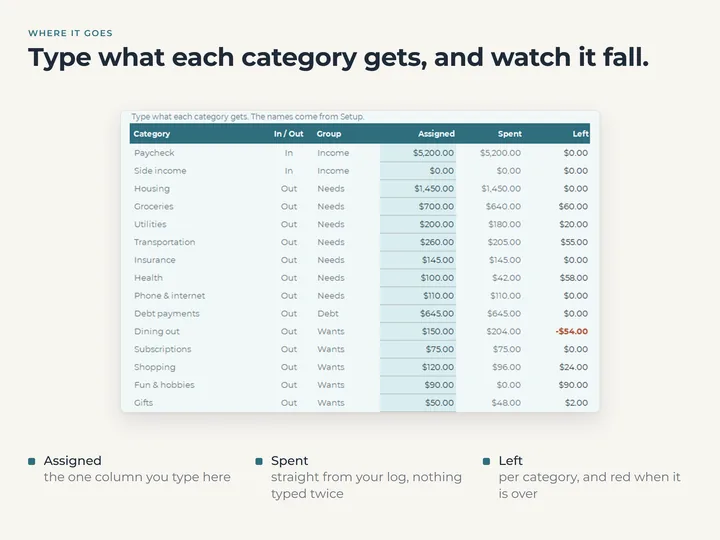
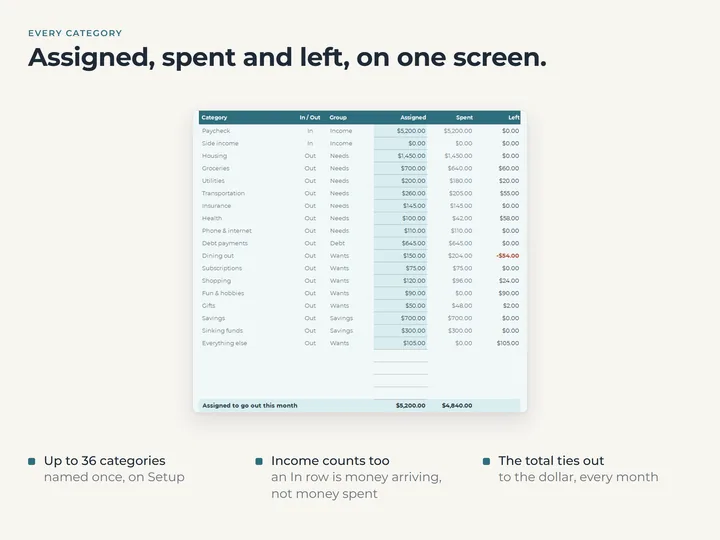
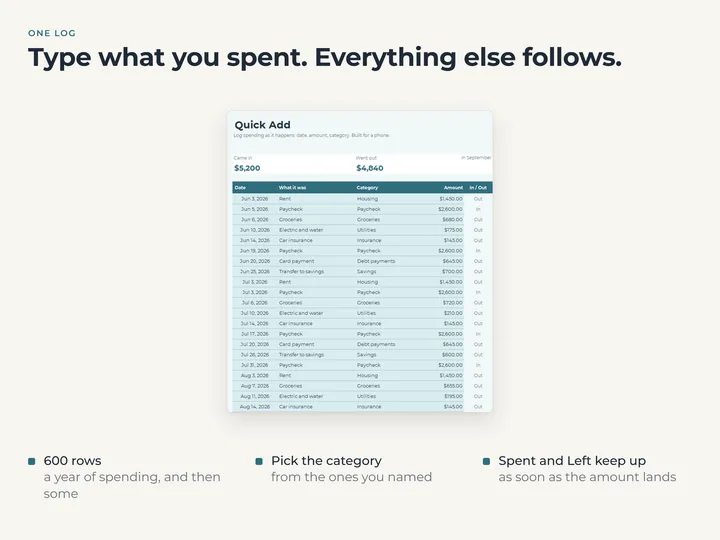
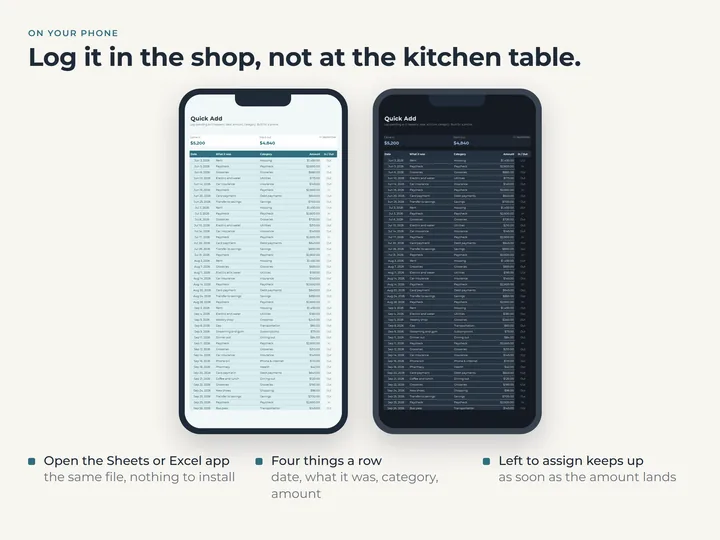
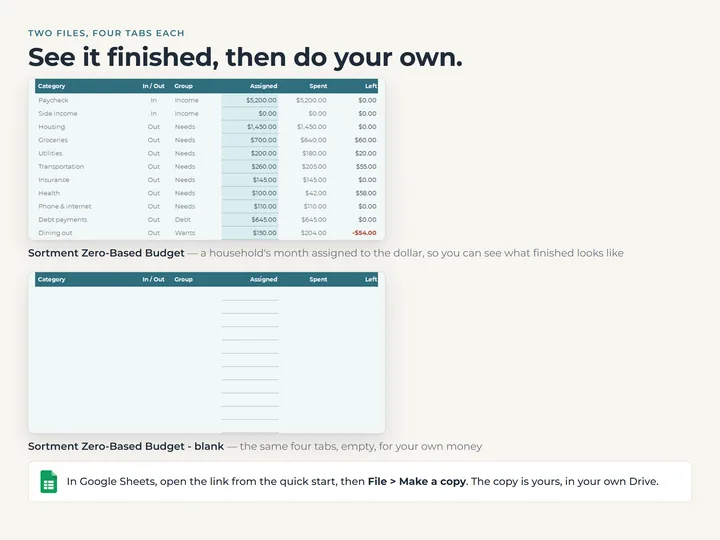
Log spending on Quick Add, and each category shows Spent and Left for the month you pick, in red when it goes over.
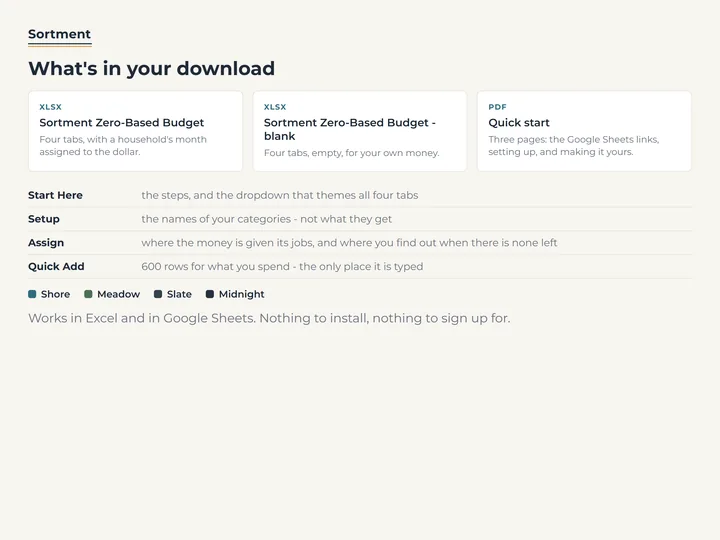
What's in the download
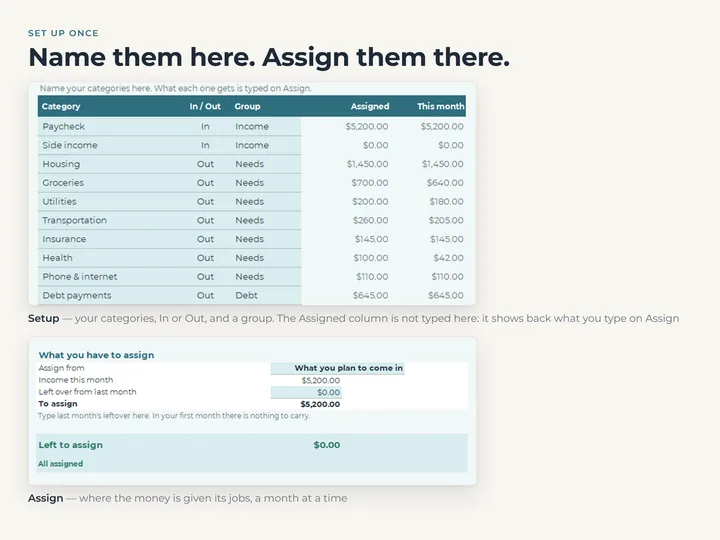
- Four tabs, Start Here, Setup, Assign and Quick Add
- A copy filled with an example month, and a blank one
- A quick-start guide with the Google Sheets copies
- Four color themes in one file
Who it's for
Anyone who likes to give every part of their income a job before the month gets going. It runs on calendar months, with no pay schedule to set up.
Questions
Do I make a new plan every month?
No. Your assignments are one standing plan. Pick another month and Spent and Left follow it, while what each category gets stays the same.
Does a category's leftover roll into next month?
No. What carries forward is one figure, Left over from last month, which you type at the top of Assign.
Does it connect to my bank?
No. You log spending on Quick Add, and nothing is linked to an account.