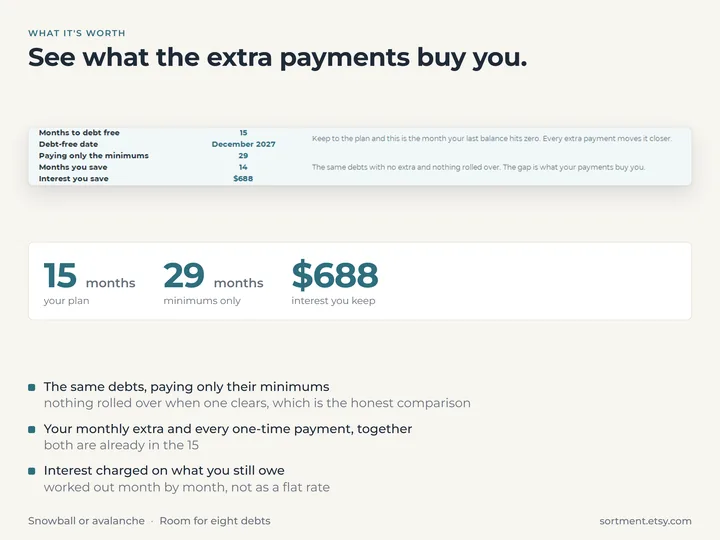
Your debt-free date, up front
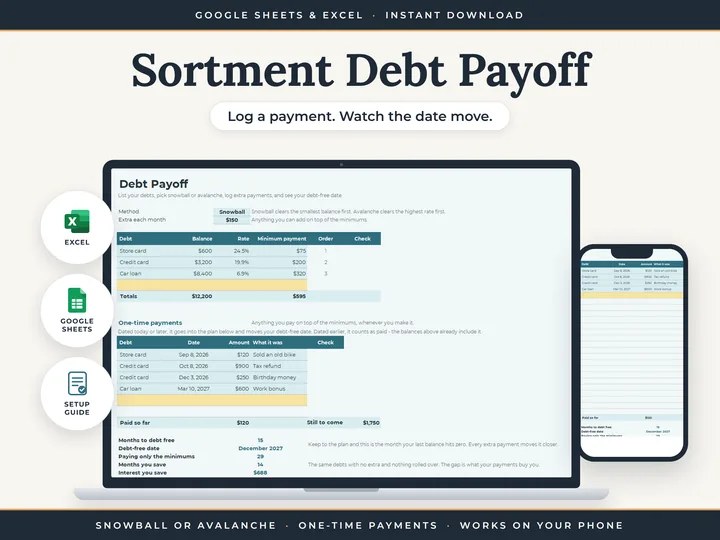
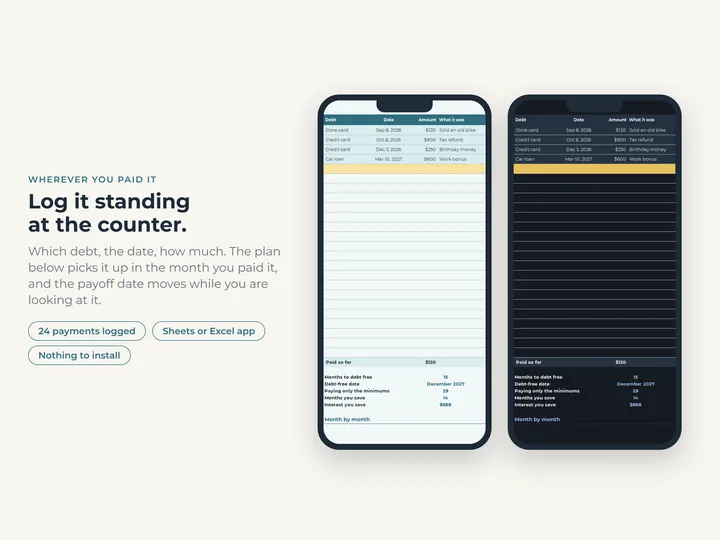
The months to go, the date itself, and how long the same debts would take on the minimums alone.
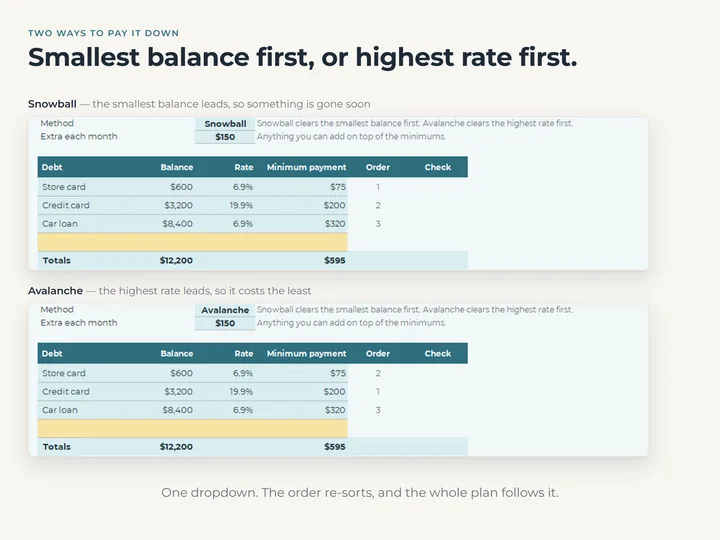
Snowball or avalanche
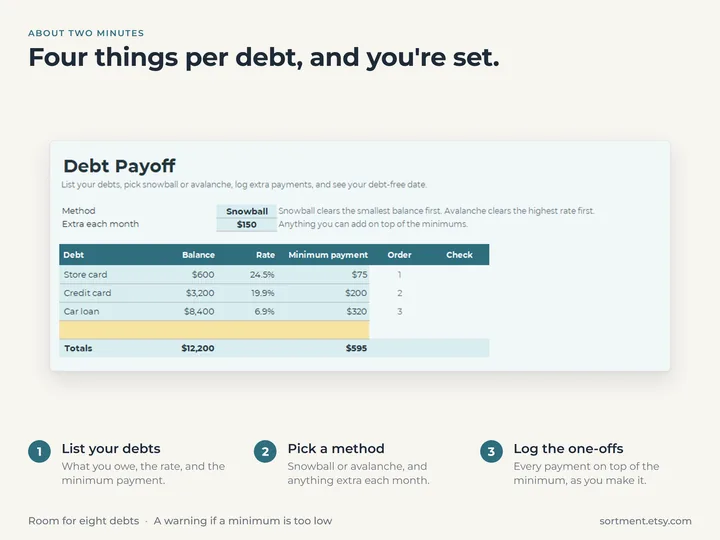
Smallest balance first or highest rate first, picked from a dropdown, and the order re-sorts as you switch.
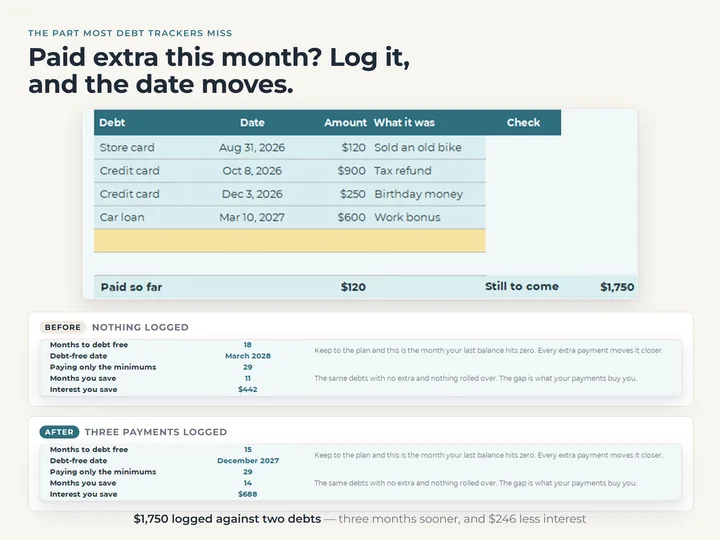
One-time payments that count
A payment dated today or later goes into the plan and moves the date, and an earlier one counts as paid so far.
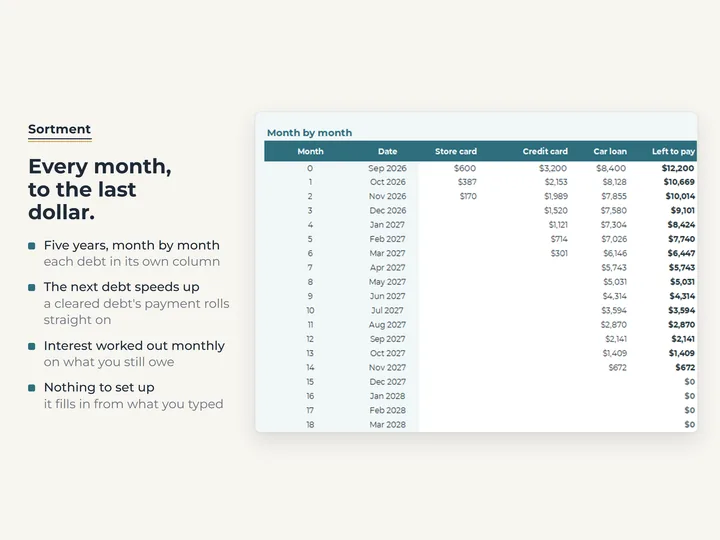
Sixty months, month by month
Each debt has its own column, and when one clears, its payment rolls into the next.
Watch it work
How to do the debt snowball in Google Sheets and Excel
The whole thing, start to finish, in a few minutes.
Play: How to do the debt snowball in Google Sheets and Excel
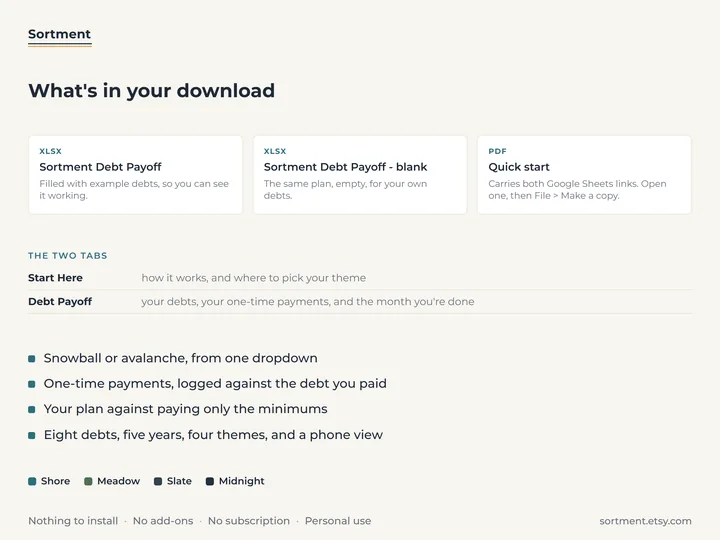
What's in the download
- Two tabs, Start Here and Debt Payoff
- Room for 8 debts and 24 one-time payments
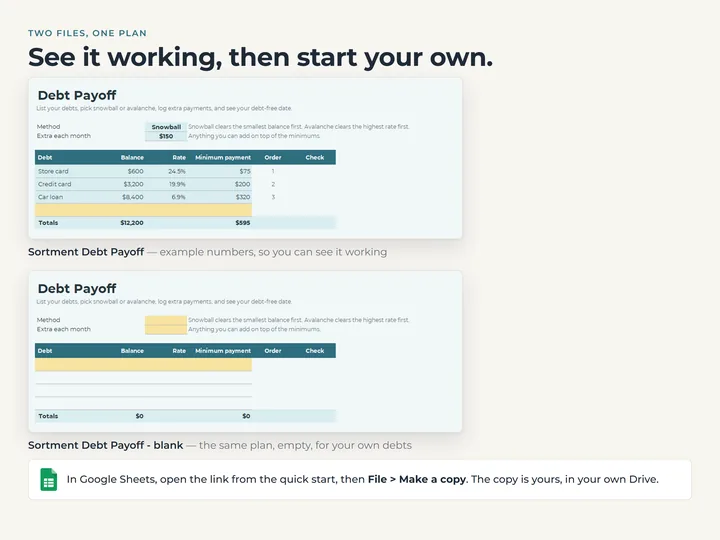
- A copy filled with example debts, and a blank one
- A three-page quick-start guide with the Google Sheets copies
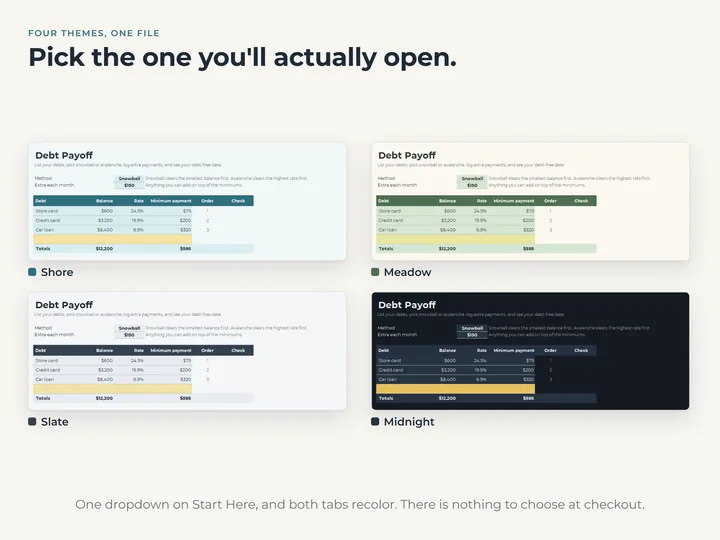
- Four color themes in one file
Who it's for
Anyone paying down cards and loans who wants a plan and a finish date. It's a debt calculator and nothing else, with no budget or spending in it.
Questions
What's the difference between snowball and avalanche?
Snowball pays off the smallest balance first, so a debt clears sooner. Avalanche goes after the highest rate first, so less goes to interest overall. Switch the dropdown to compare the two on your own debts.
What if I have more than eight debts?
It plans eight at a time. List the eight you're paying down first, and when one clears, its row can take the next.
Does it connect to my bank?
No. You type your balances once and log payments as you make them, and the calculator does the rest.