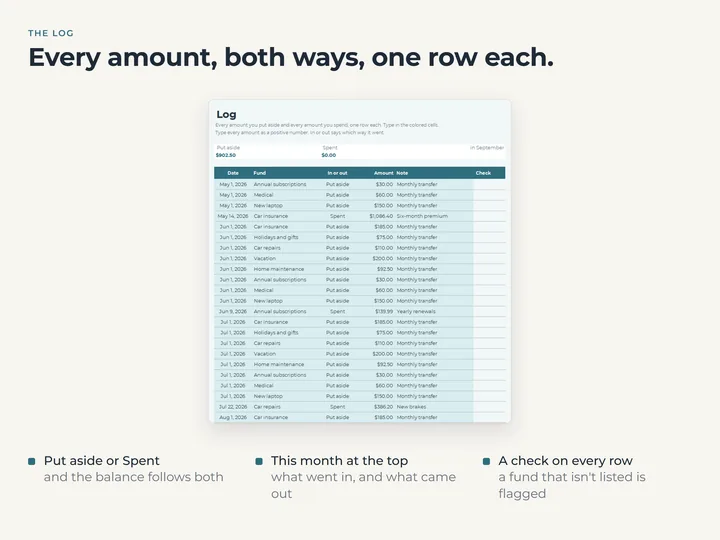
Every amount, one row each
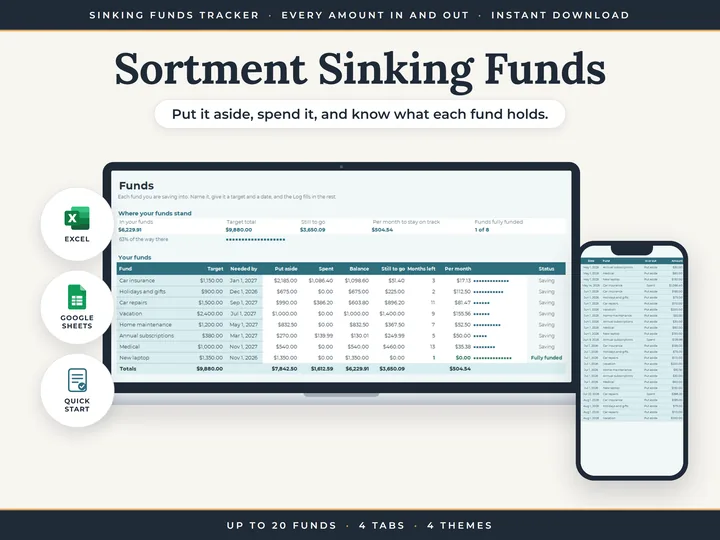
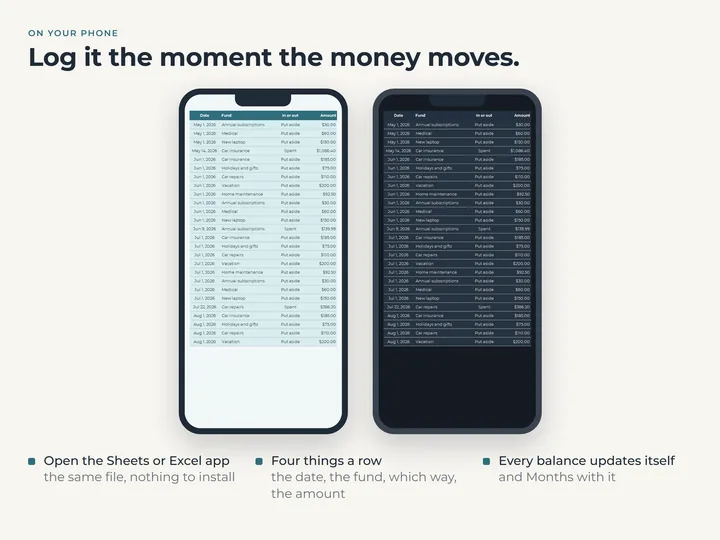
Put aside or spent, each amount goes on the Log with its date and fund, so a fund can empty and fill again with the record intact.
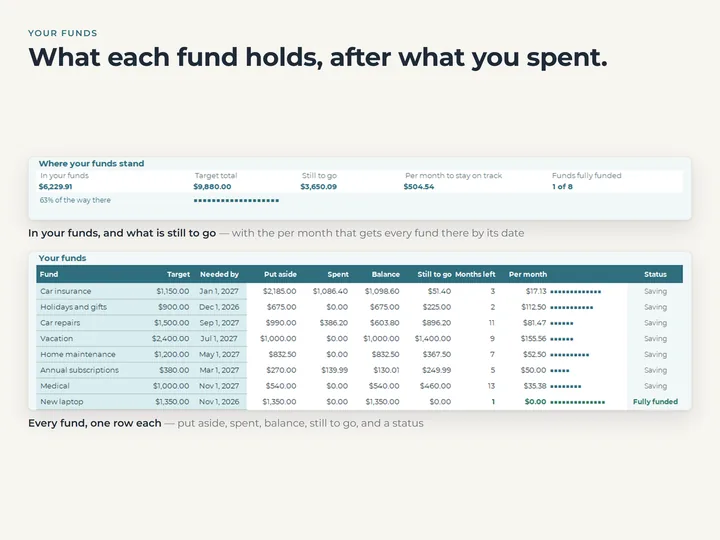
A balance that follows the money
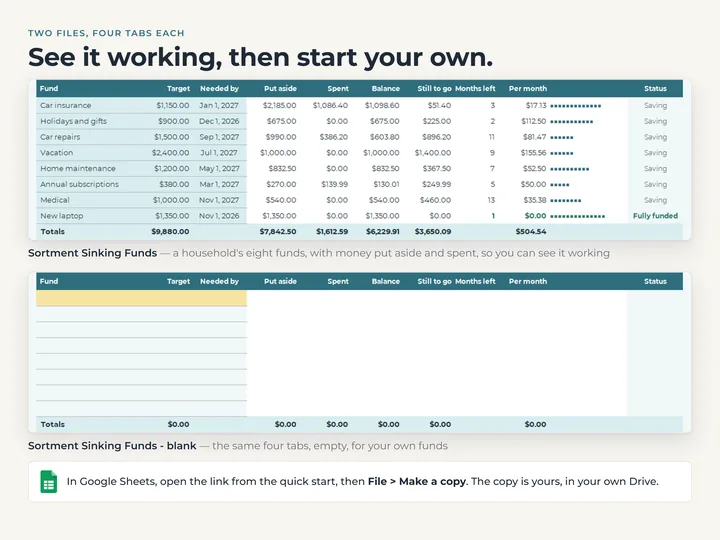
Pay a bill from a fund and its balance drops, what's still to go rises, and the monthly figure is worked out again.
A status on every fund
Saving, Fully funded, Date passed, No date, No target or Overspent, so the one that needs a look stands out.
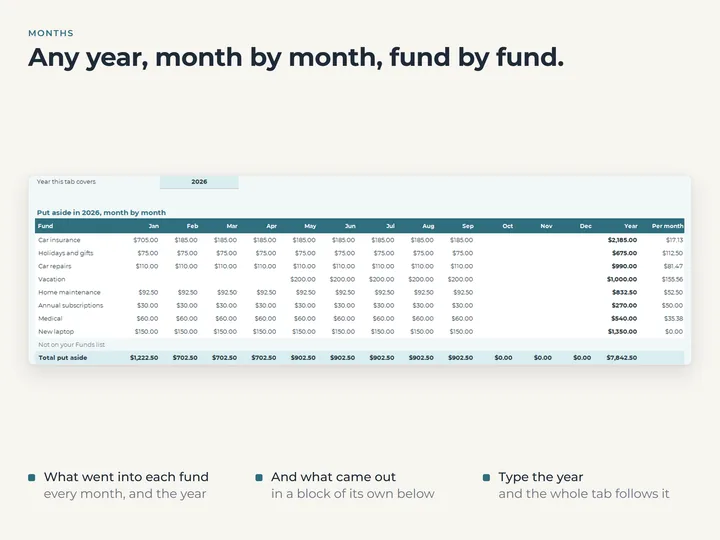
Any year, month by month
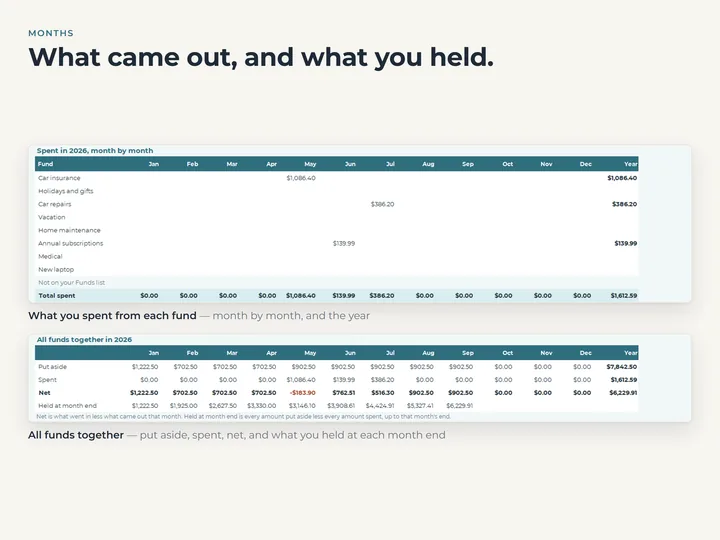
The Months tab shows what went into each fund and what came out, twelve months across.
What's in the download
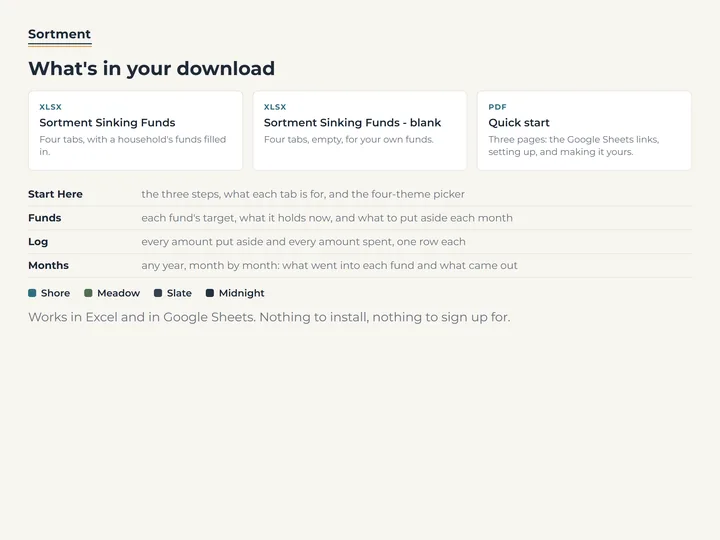
- Four tabs, Start Here, Funds, Log and Months
- Room for 20 funds and 600 Log rows
- A copy filled with eight example funds, and a blank one
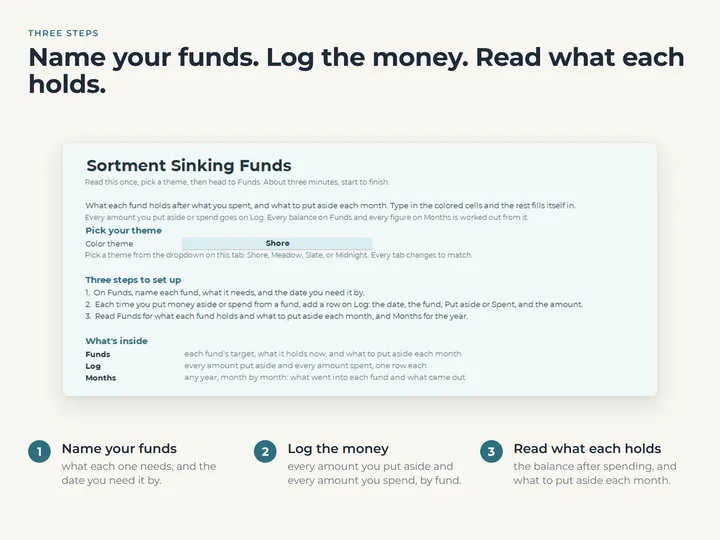
- A quick-start guide with the Google Sheets copies
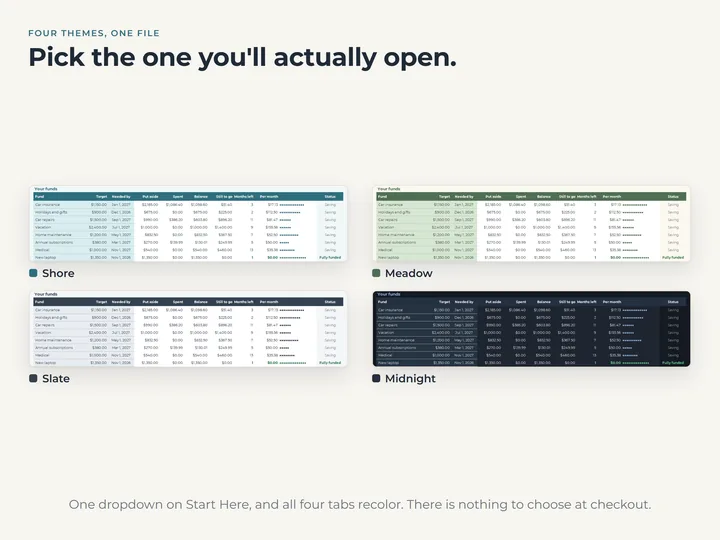
- Four color themes in one file
Who it's for
Anyone putting money aside a little at a time for the costs that come round once in a while, like insurance, car repairs, the holidays or a yearly renewal. It does funds and only funds, with no budget, bills or debt.
Questions
I already have money put aside. How do I start?
Add one Put aside row per fund on the Log, dated today, with what that fund holds now. From then on, log each amount as it moves.
Is this the Sinking Funds tab from the Budget Planner?
No. That tab keeps one figure per fund that you type over. This keeps every amount as its own row, works each balance out from those rows, and shows the year month by month.
Does it connect to my bank?
No. You log each amount, a few seconds at a time, and every balance and monthly figure is worked out from what you typed.