Type it once
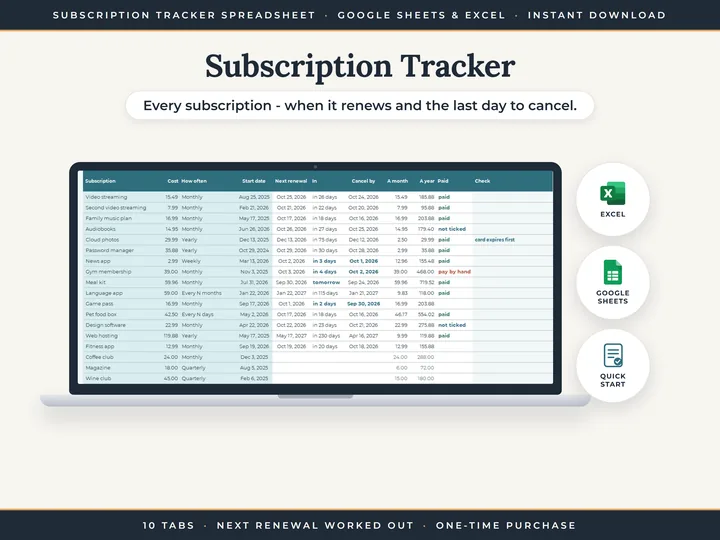
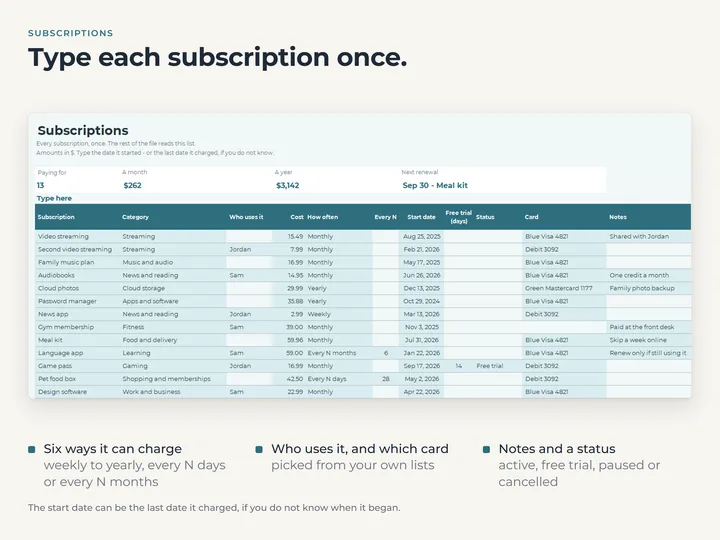
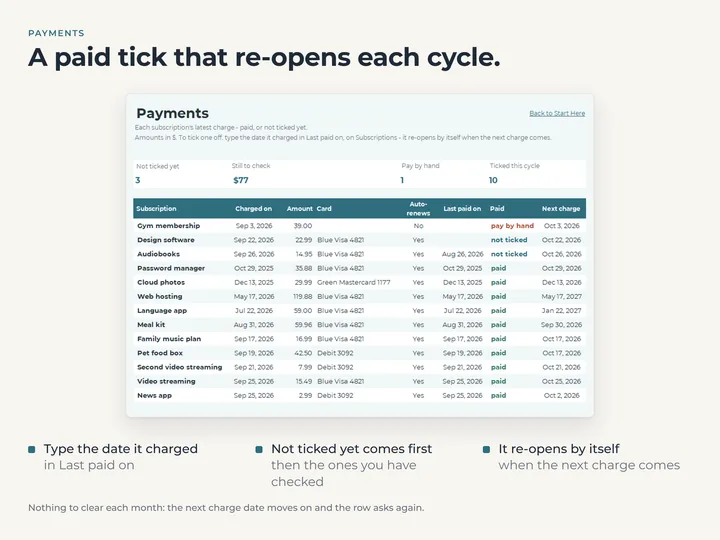
Each subscription goes on one list, and the trials, calendar, payments and totals tabs all read from it.
The last day to cancel
Type the days' notice a plan needs, and its row shows the date to cancel by beside the next renewal.
Trials before they charge
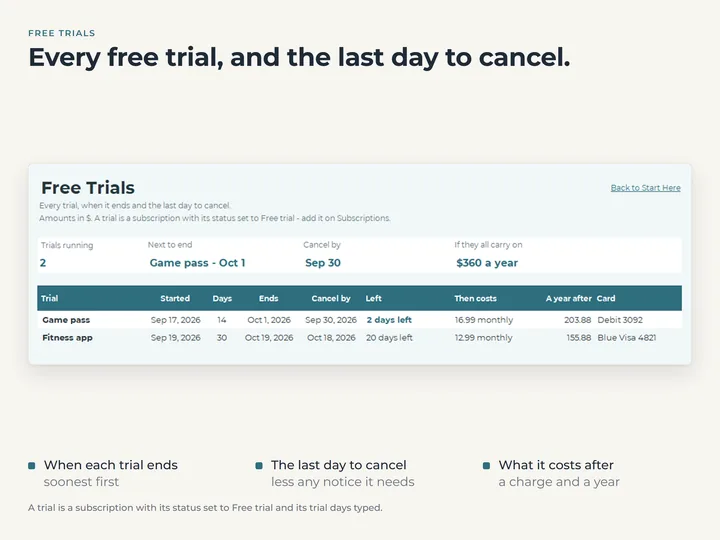
Trials are listed soonest end first, with the days left and what each will cost once it ends.
Twelve months ahead
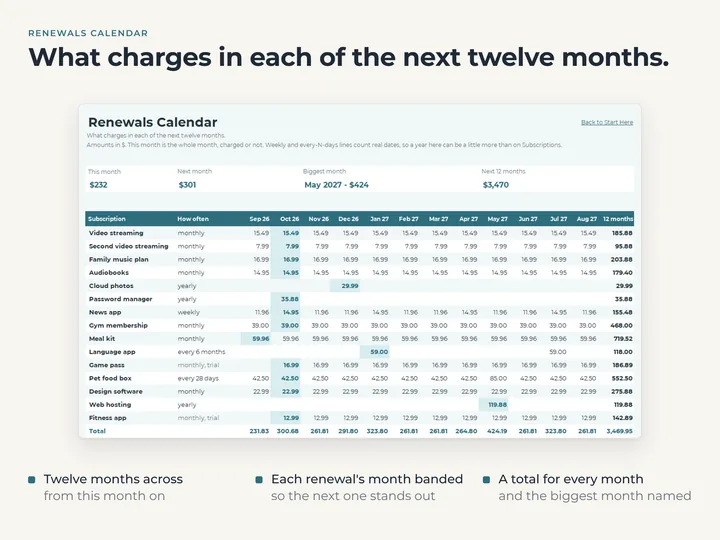
Renewals Calendar shows what charges in each month, starting from this one, and each month's total.
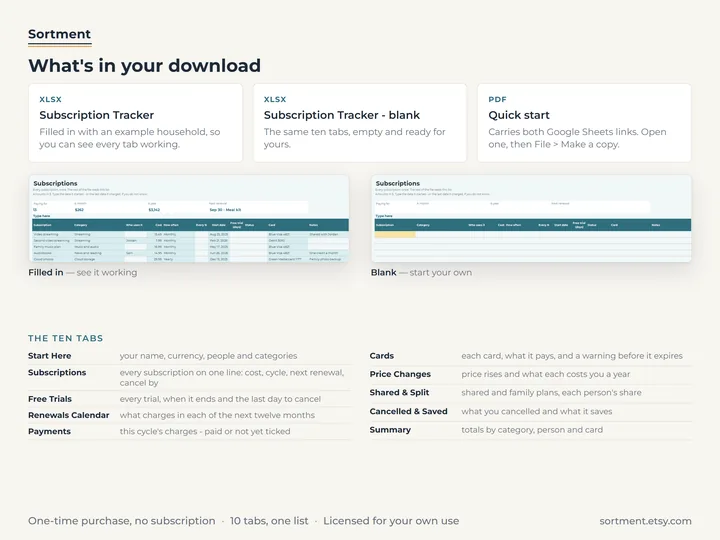
What's in the download
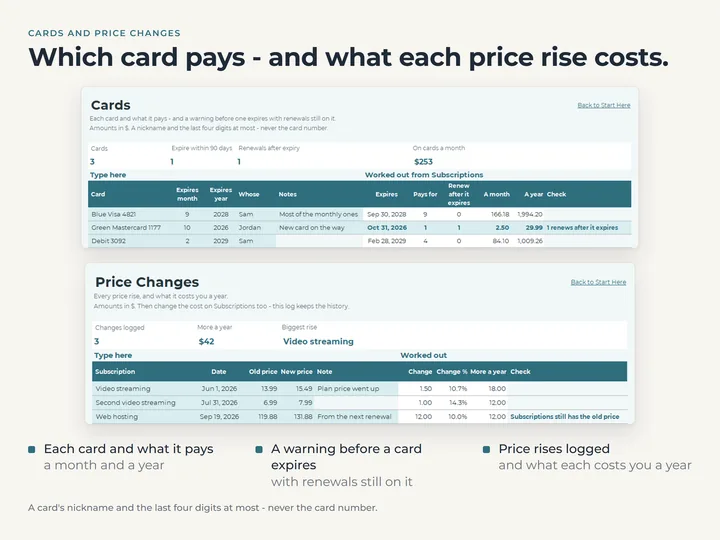
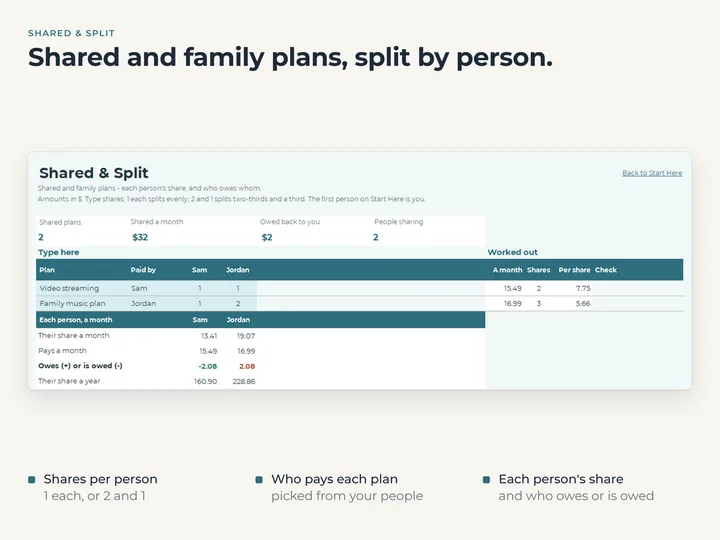
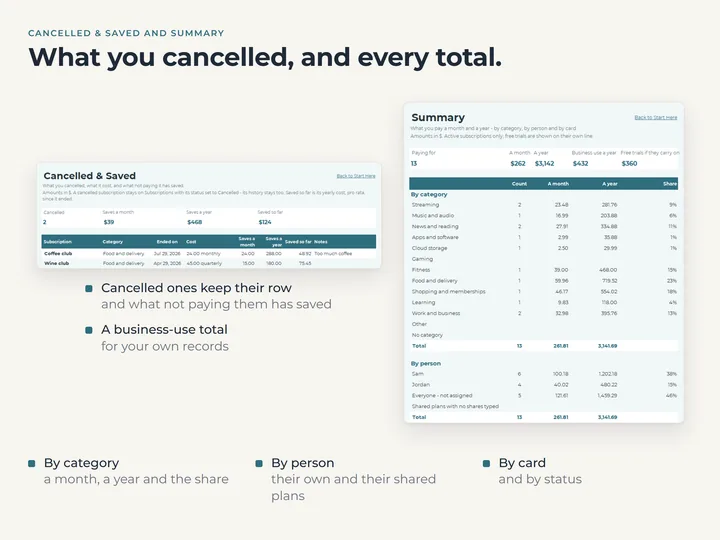
- Ten tabs, including Subscriptions, Renewals Calendar, Cards, Shared & Split and Summary
- Room for 100 subscriptions, 12 cards and eight people
- A copy filled with an example household, and a blank one for yours
- A quick-start guide with the Google Sheets copies
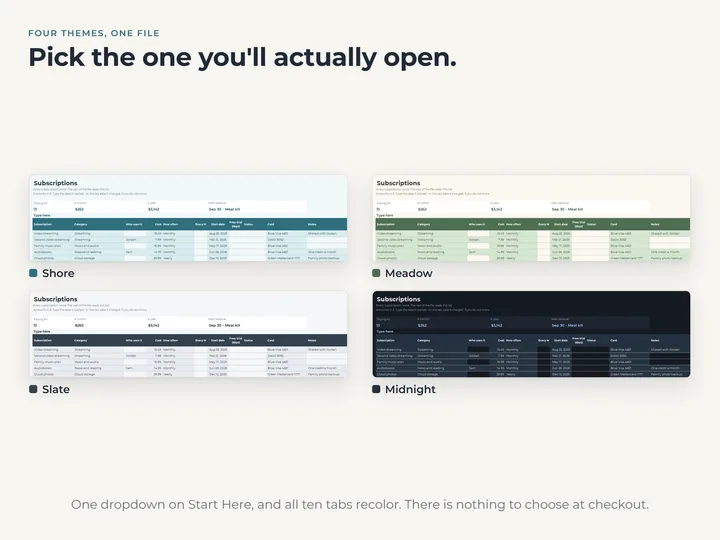
- Four color themes in one file
Who it's for
Anyone whose subscriptions have quietly piled up and who wants every renewal and cancel-by date in one place. It covers recurring subscriptions, not rent, utilities or loans; the Bill Tracker is for those.
Questions
Will it tell me before something renews?
No. Open it and every row shows the next renewal and the last day to cancel, and Renewals Calendar shows the months ahead.
Does it link to my bank or card?
No. You type each subscription once and it works the rest out from that. Each card goes in by a nickname, never its number.
What about plans that charge every six months, or every 45 days?
Choose every so many months or every so many days, and type the number.