Any pay period you like
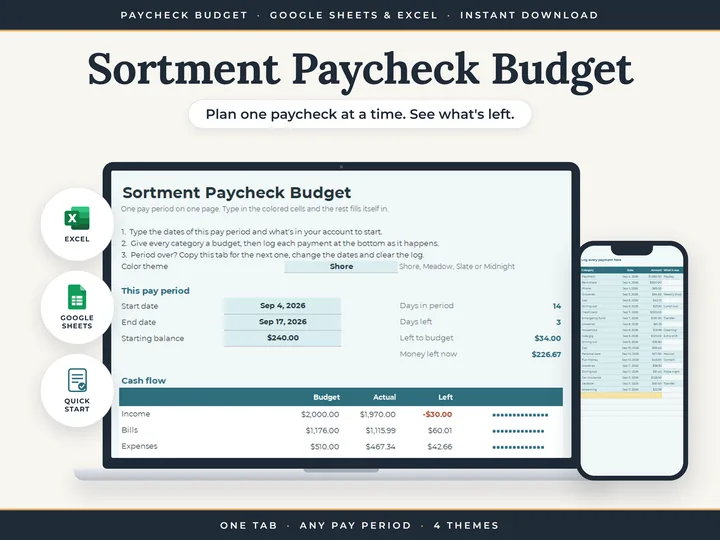
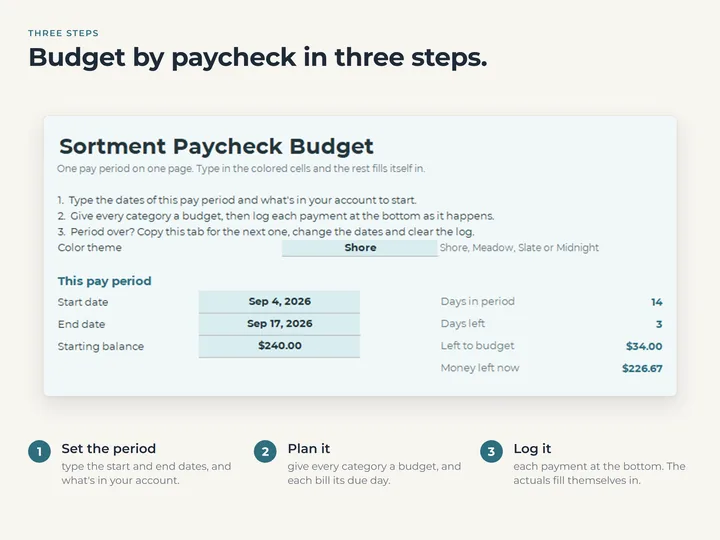
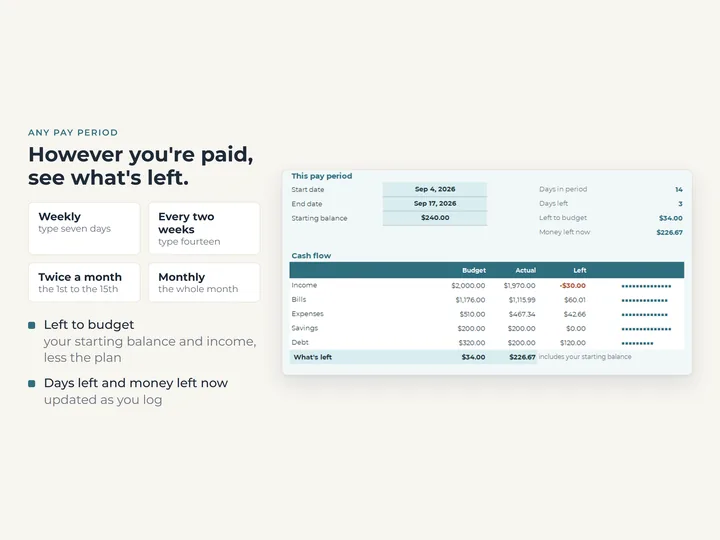
The period is the two dates you type, so it fits weekly, every two weeks, twice a month or monthly pay.
Five sections, line by line
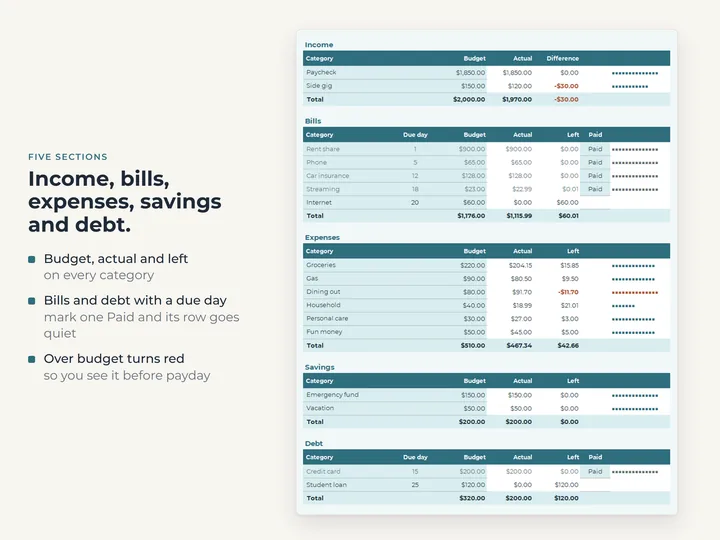
Income, Bills, Expenses, Savings and Debt, with budget, actual and left on every line.
Bills with a due date
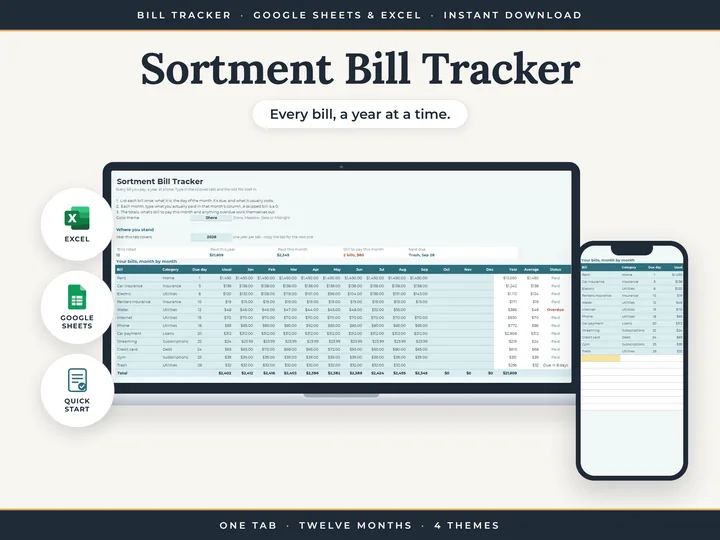
Each bill carries a due date and a paid mark, so the ones still owed stand out.
A log that fills in the actuals
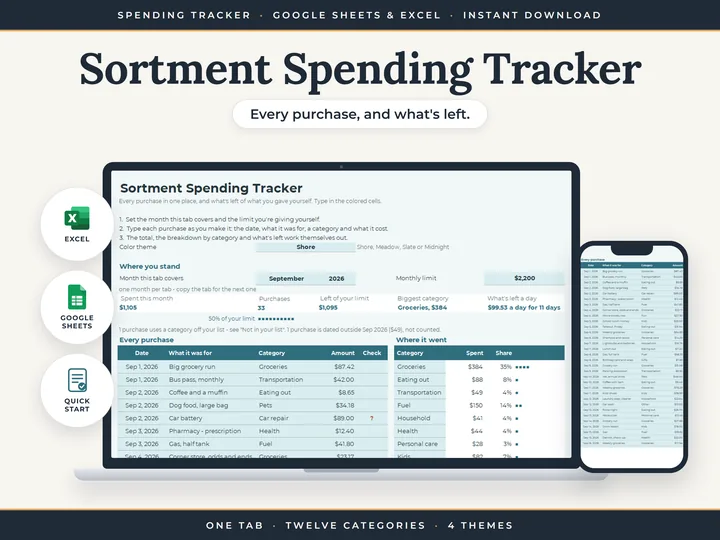
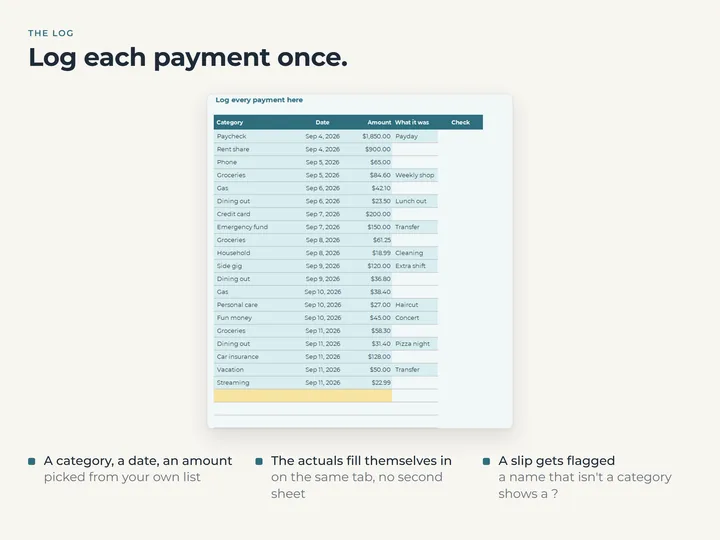
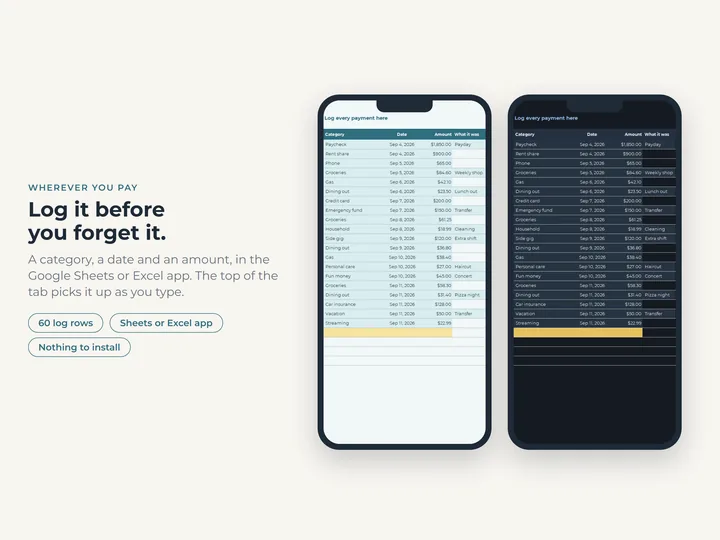
Each payment goes in the transaction log on the same tab, and every line's actual adds up from it.
What's in the download
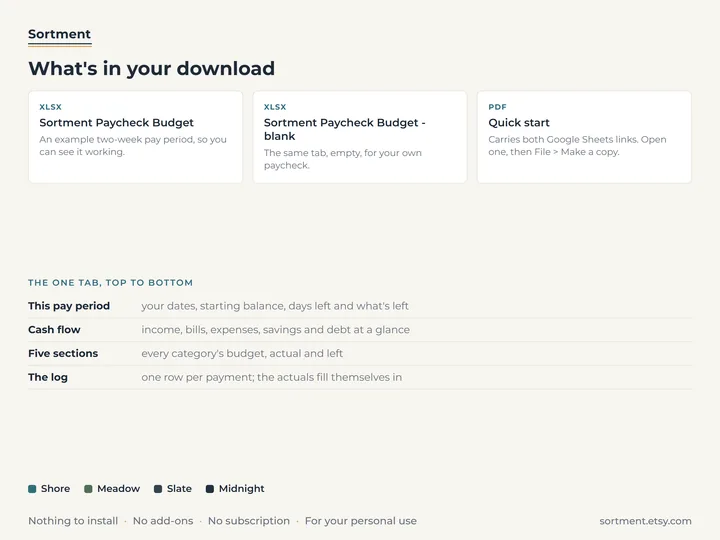
- One tab with the period, a cash-flow summary, five sections and a transaction log
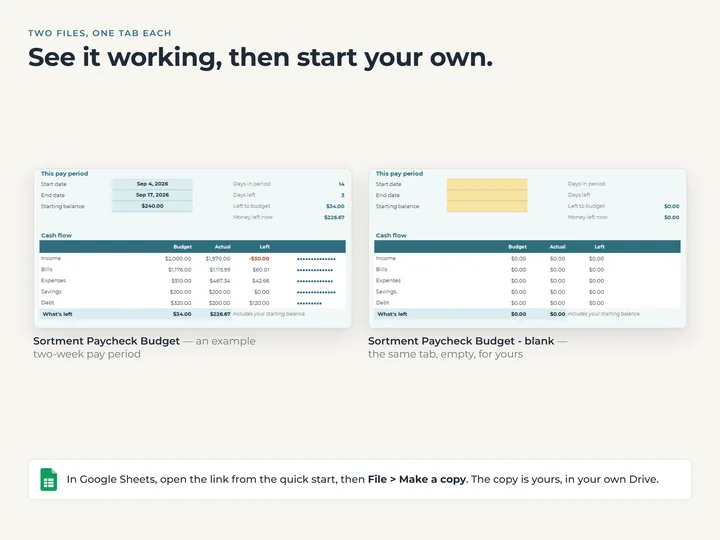
- A copy filled with an example two-week pay period, and a blank one
- A quick-start guide with the Google Sheets copies
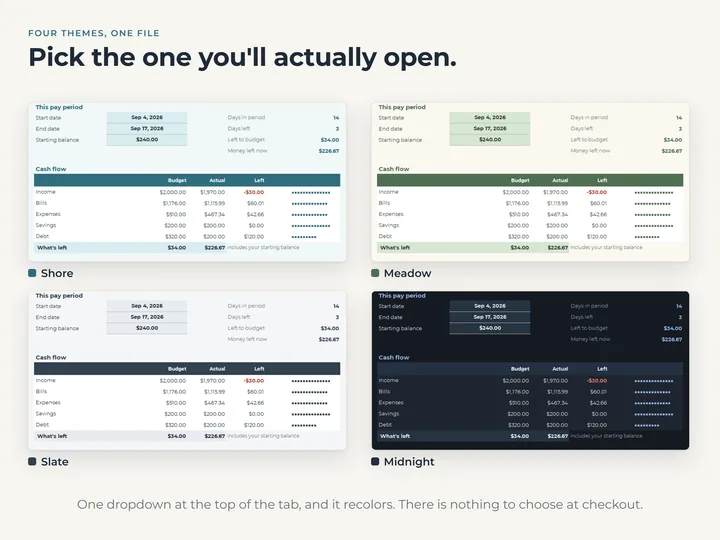
- Four color themes, switched from a dropdown
Who it's for
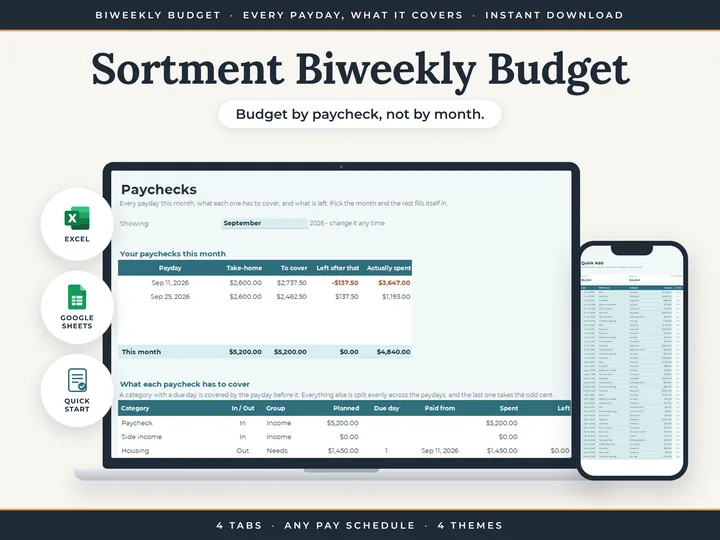
Anyone who plans money one paycheck at a time and wants it all on a single tab. If you'd rather pick a month and have every payday in it worked out for you, the Biweekly Budget does that.
Questions
Does it work out my paydays?
No. You type the start and end of each period yourself, so an odd pay date never trips it up.
What do I do when the next paycheck comes?
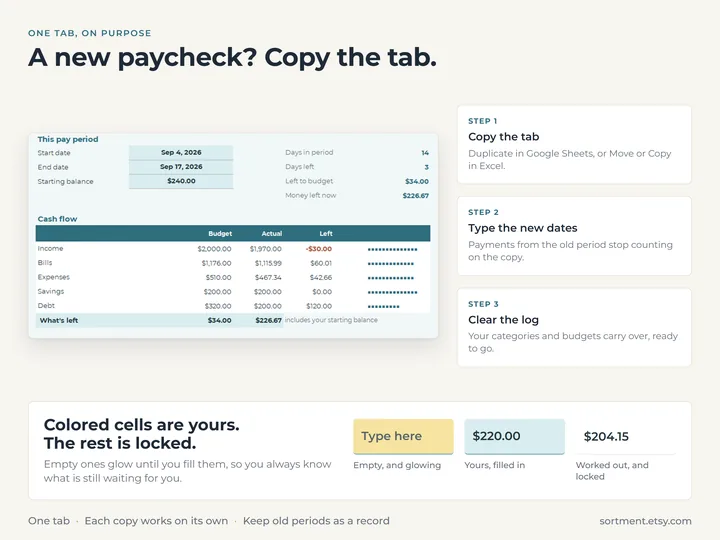
Copy the tab, type the new dates and clear the log. The earlier period stays just as it was.
Does it connect to my bank?
No. You type what comes in and what goes out, and the tab does the adding up.