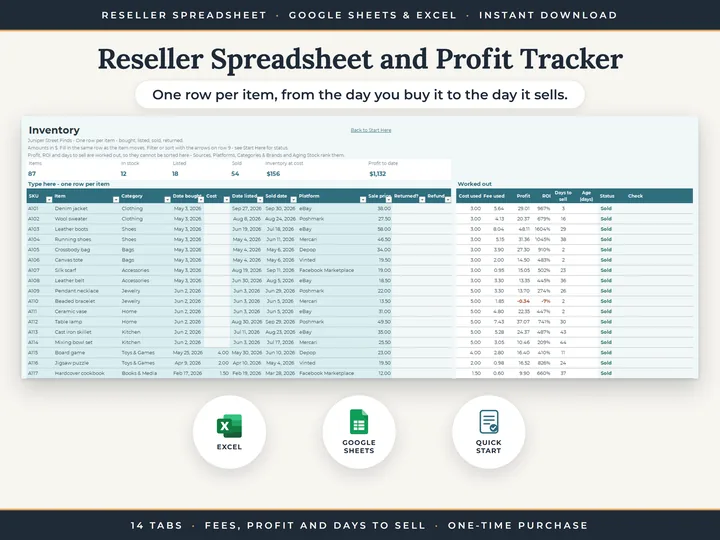
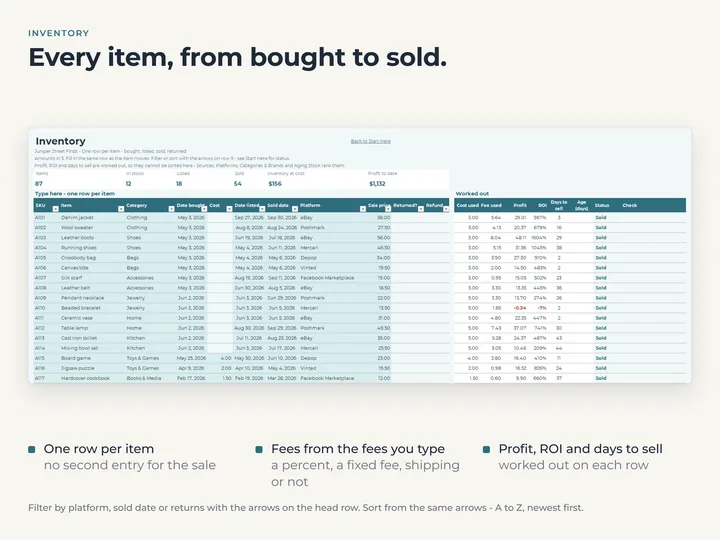
Every item on one row
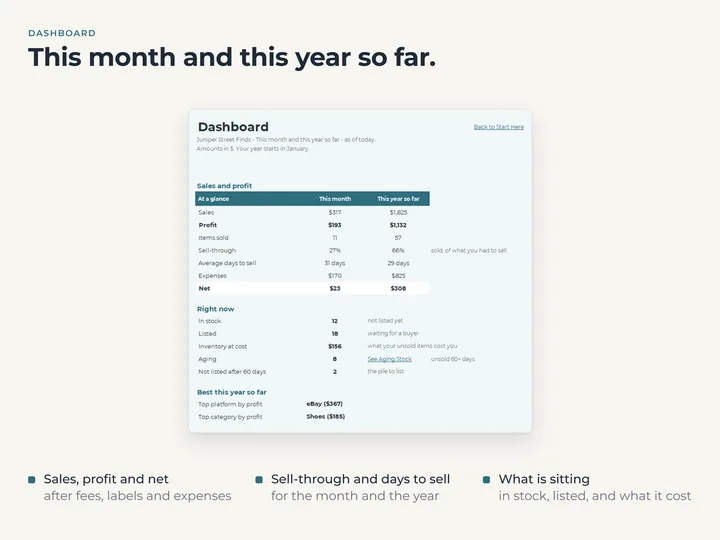
What it cost, where it came from, when you listed it and what it went for. Profit, ROI and days to sell are worked out beside it.
Fees from the settings you type
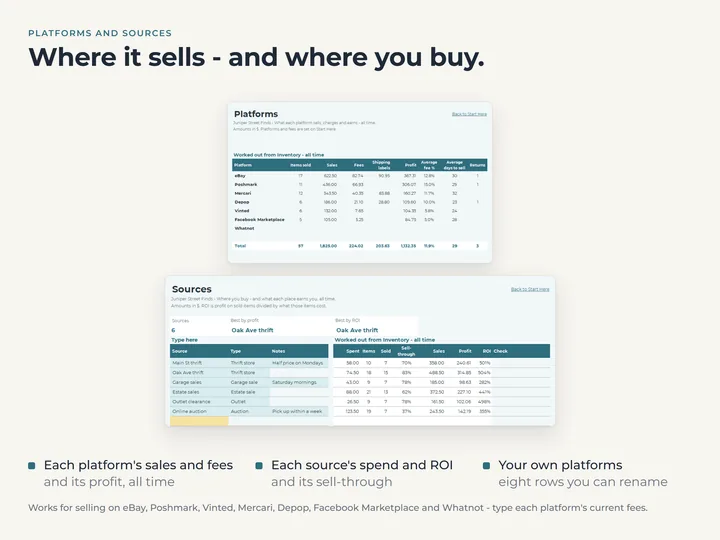
Name up to eight platforms on Start Here with their fee settings, and each item's fee is worked out when it sells.
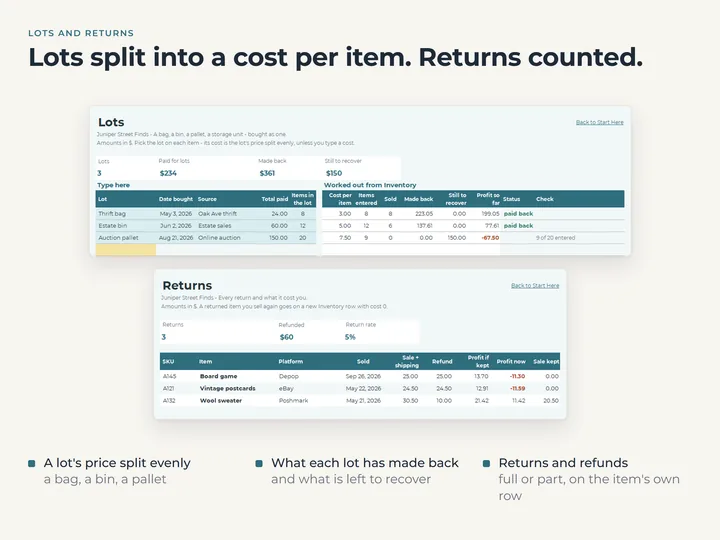
Lots split into a cost per item
Enter a bag, a bin or a pallet once and each item in it takes its share of the cost. Lots shows how much of each one you've made back.
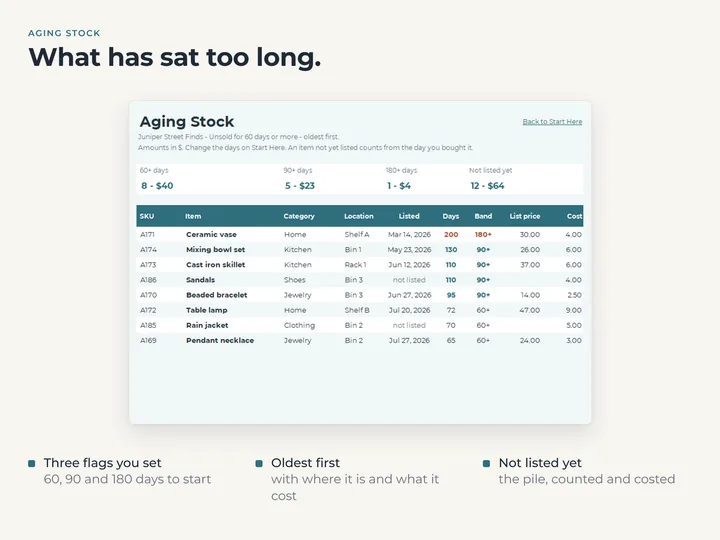
Stock that has sat too long
Aging Stock lists every unsold item past the ages you set, oldest first, with where it's kept and what it cost.
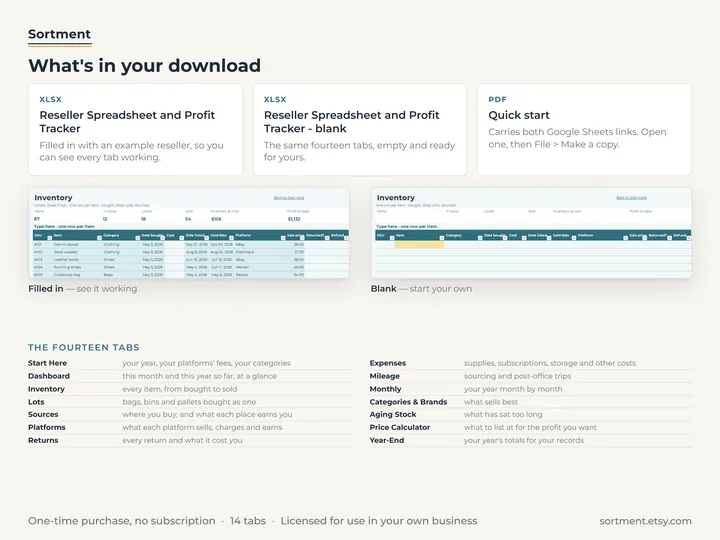
What's in the download
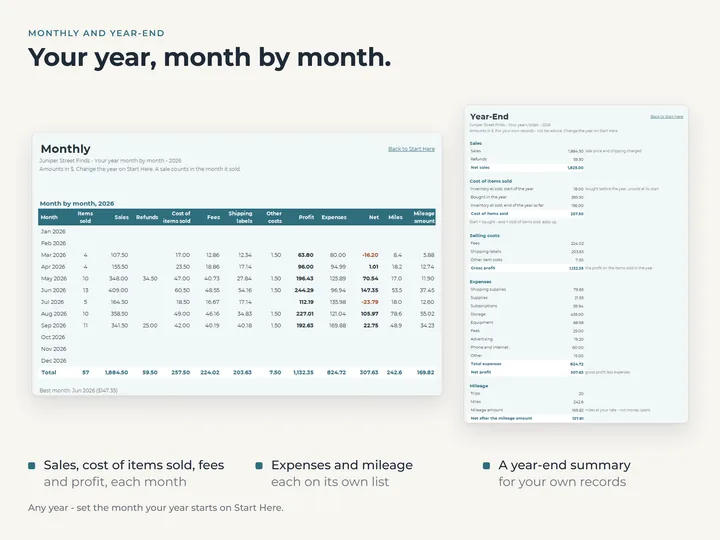
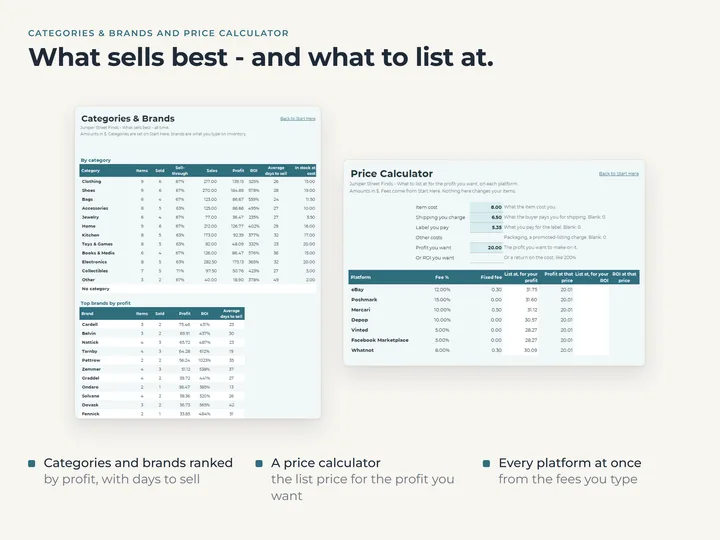
- Fourteen tabs, including Inventory, Lots, Platforms, Returns, Price Calculator and Year-End
- Room for 1,000 items, 100 lots, 300 expenses and 300 mileage trips
- A copy filled with an example reseller, and a blank one for yours
- A quick-start guide with the Google Sheets copies
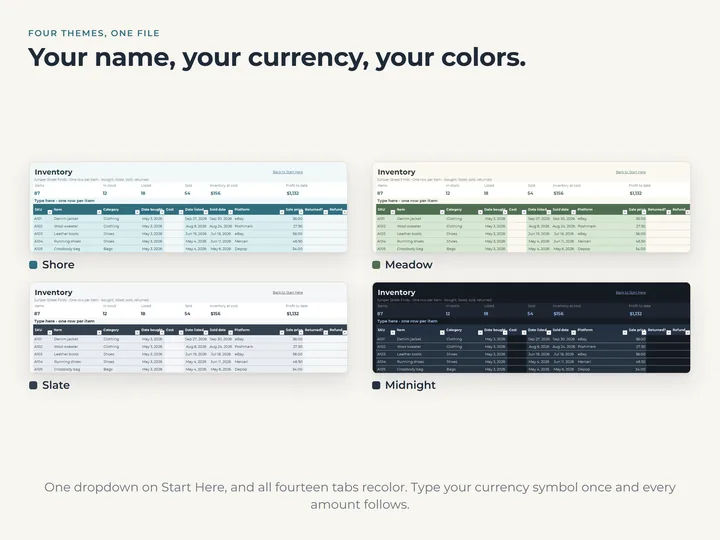
- Four color themes in one file
Who it's for
Resellers who source secondhand or clearance stock and sell it item by item, on one site or several. It keeps one item per row, so for counting stock by quantity, the Inventory spreadsheet fits better.
Questions
Does it know what each platform charges?
No. You type each platform's current fee settings on Start Here, and the sheet works out every fee from them. A fee you type on an item wins over the worked one.
Does it link to the sites I sell on?
No. Nothing is linked to a selling site or an account. You type each item once, and every other tab is worked out from it.
What happens when an item comes back?
Mark it returned and type the refund, or leave the refund blank for a full one. Returns lists each one, and an item you sell again goes on a new row.